fbpx

When the Camera Stops Talking: A Canon R5 Mark II Mystery

As a working DIT based in New York, I get the occasional call when gear starts acting up. And it always seems to happen not during prep, or while testing, but on the shoot. Of course.

This time, it was a photographer running into a strange issue with a brand-new Canon R5 Mark II. You’d expect a fresh camera from Canon, or any of the major Japanese manufacturers, to roll out stable and bulletproof. And often they do. But sometimes there’s a hiccup. And when it happens, it’s not necessarily isolated to one thing. It could be one of many things: the firmware, Capture One, macOS, or some odd handshake between all three. 

The Problem: It Works… Until It Doesn’t

The issue was simple but critical: the R5 Mark II would connect perfectly and shoot to Capture One – for a while. Then, with no warning, it would disconnect. No crash, no error message, just… silence. Unplugging, replugging, restarting – no change. Swapping cables, batteries, swapping the camera body – still nothing. Dead tether.

The photographer had already been troubleshooting, but the issue kept resurfacing. Eventually, it became disruptive enough that the photographer had started putting upcoming shoots on hold. Can’t really blame him – losing tether mid-shoot isn’t just an inconvenience; it can kill the momentum and compromise the entire day, especially when clients are used to seeing and signing off on images live.

What’s Left to Try?

When you’ve already swapped the usual suspects – cable, camera, laptop, batteries – you have to go deeper. Is it a firmware bug? SDK problem? Phase One’s support for the new Canon? A power handshake between the body and the laptop? Some obscure system setting?

So we stripped it all down and went barebones:

  • Disabled Wi-Fi and extras on the camera.
  • Shot straight to card for control testing.
  • Cleaned out system preferences on the Mac.
  • Tightened up the whole tether workflow.

We didn’t want to fix fancy – just stable. That’s the only thing that matters.

And while we kept the firmware stock for now, the logic was simple: if it doesn’t work as-is, what’s there to lose by updating? I usually run conservative setups – older OS versions, previous Capture One builds – because I value stability over shiny new features. But sometimes, especially with brand-new hardware, you have to break your own rules.

Then and Now: Why Redundancy Still Matters

This situation reminded me of the old days, back when I used to work on-set with two digital backs, three H-series bodies (H1, H2, H4), and a full lens lineup. It wasn’t overkill. It was insurance.

If you have been around long enough, you know what happens when the worst-case scenario becomes real. A camera gets dropped. A body goes down mid-shot. And when you’ve got 25 people on set, agency and client flown in, talent on the clock, cost of location – that day is burning money fast.

Let’s say a shoot day costs $300,000. Ten hours on the clock? That’s $30,000 an hour. If a camera fails and you don’t have a spare – or even worse, if someone has to start chasing down a rental – you’re bleeding money fast. Even best case, you’re looking at a minimum 1–2 hour delay with COI paperwork, messenger logistics, and gear handoff. That’s $60,000 of dead air. Not on my watch.

So even now, when two backup cameras aren’t $40K each, I still keep that mindset. Two of everything. Monitors, cables, drives – all ready. In this Canon case, even though it was the photographer’s gear, I had my setup waiting, ready to hot-swap if anything glitched. Fortunately, it didn’t come to that.

A Quiet Fix

On the first day after I was brought one, we saw the issue once – briefly. But we were able to resolve the issue instantly by restarting the computer and replacing the battery. Since then, we’ve done multiple shoots with no hiccups.

What actually fixed it? Hard to say. Could have been the system preferences cleanup. Could have been eliminating tether stress with better cable management. Could have been a power issue between the Canon, the laptop, and the bus-powered connection. My best guess is it was exactly that, a power draw inconsistency causing the tether to silently disconnect.

But the real trick – what I always do – is observe. Quietly. I watched the photographer work, just to see if there was any workflow behavior that could have been triggering the bug. Nothing major, the basics were solid. A few tether-securement things I would’ve tightened up, but overall, the photographer was on it. And I applied my own workflow discipline in the background to make sure we weren’t introducing more variables.

Final Thoughts

All in all, this was just one of those phone calls that turns into a multi-day diagnosis working on-set with the photographer. It was a small issue, technically speaking, but with sharp teeth. The kind of bug that can ruin a client’s confidence, slow the day to a crawl, and quietly chip away at your reputation. Not because it’s your fault, but because it happened on your watch.

That’s why I show up with redundancies. That’s why I pay attention. And that’s why I like doing this job. It’s a puzzle. It’s satisfying to figure out. And when you get it working again, quietly, smoothly, no drama – it just feels good to see the smiles again. 

Just a little story from the set cart. I get these calls from time to time. And I always pick up.  (if I’m not working on-set)

Who you gonna call?

If there’s something weird
And it don’t look good
Who you gonna call?

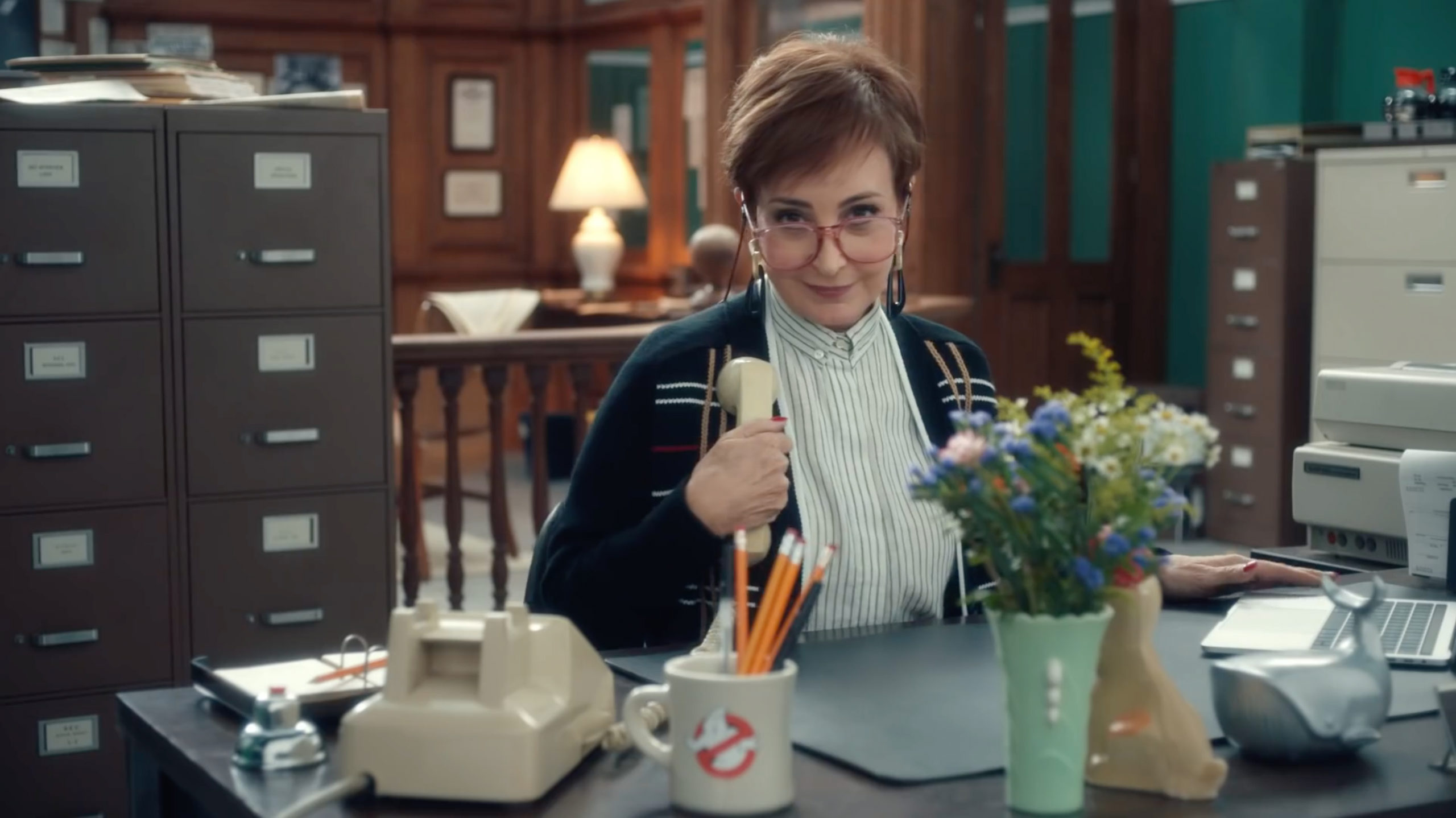
If you see a ghost, you may be thinking Ghostbusters… but if you have digital issues you call Captureforce. I recently worked with the amazing photographer duo The Morrisons and QuickBooks shooting stills and video for their current ad campaign which included shooting Annie Potts and Slimer from Ghostbusters. The entire job stretched for more than a month and we were shooting at the Sony Studios in Culver City as well as on location in Atlanta, LA, and London. 


For any haunted digital issues, its Captureforce to the rescue! 🙂
Esben // Captureforce

Pro Tech Tips

Clients often wonder what type of work-station is optimal for their job. Going with either a laptop or tower configuration is based on the location and the specifics of the job, but if we’re using an external monitor we almost always suggest using a 30” monitor because the pictures present with greater details and a 30” monitor will always have that ‘Wow! Holy mackerel!’ impact on the client when they see the pictures enlarged up on the big screen.

2.   Retouching and Photoshop comps are often a crucial component on product shoots. Instead of explaining things with words, a comp can easily show the client what the final picture will look like. A well-made mock-up that shows the different options will help make the client sign-off with confidence and with peace of mind.

3.   We rarely talk about hard-drives, but the client hard-drive that you buy can sometimes be of more importance than just getting the cheapest one. Solid State Drives are hard-drives that transfer data 4-10x times faster than regular hard-drives. If you just need 1 drive at the end of the day then a regular drive is fine. Your Tech should already have been backing up everything, and you can leave the studio once the shoot is done. However, if the last scene of the day was a crushing 1000-2000 raw files and the client is asking for everything to be processed out and delivered on multiple hard-drives, then there will be a bottleneck because it takes a longer time to process and transfer this amount of data onto regular hard-drives. The cost of SSD drives is higher, yet may be more practical when compared to waiting around the studio after a long shoot or the costs of location going into overtime.

4.   Always hire a crew that has everything under control. If the client senses that there’s panic, it’s difficult to get that smooth sailing atmosphere back on set. The Digi Tech should know his/her role. Hiring people that have been working in the business for many years and with big clients is essential. Keeping some the technical conversations from the client is also often to be preferred. 

5.   Bring backups of everything possible: cameras, lenses, cables (they will eventually go bad), power adaptors, extra computer, extra monitor. Be prepared for every worst-case scenario. Back-ups will ensure that even if the equipment gets dropped, the shoot will continue.

6.   Lithium batteries. We all need them and depend on them, but we often neglect to maintain them properly. The simple rule is that they prefer to be in a charged state between 20% and 80%. Topping them off at 100% will unnecessarily put a toll on them. Slow charging vs. Fast charging? Slow charging is better unless you’re running out the door for a shoot and need the batteries right away. Remember, if that’s the case, don’t forget to give us a call.


Happy Shooting,
Esben // Captureforce

Winter shoot with Cooper Tires // BTS in Lake Placid

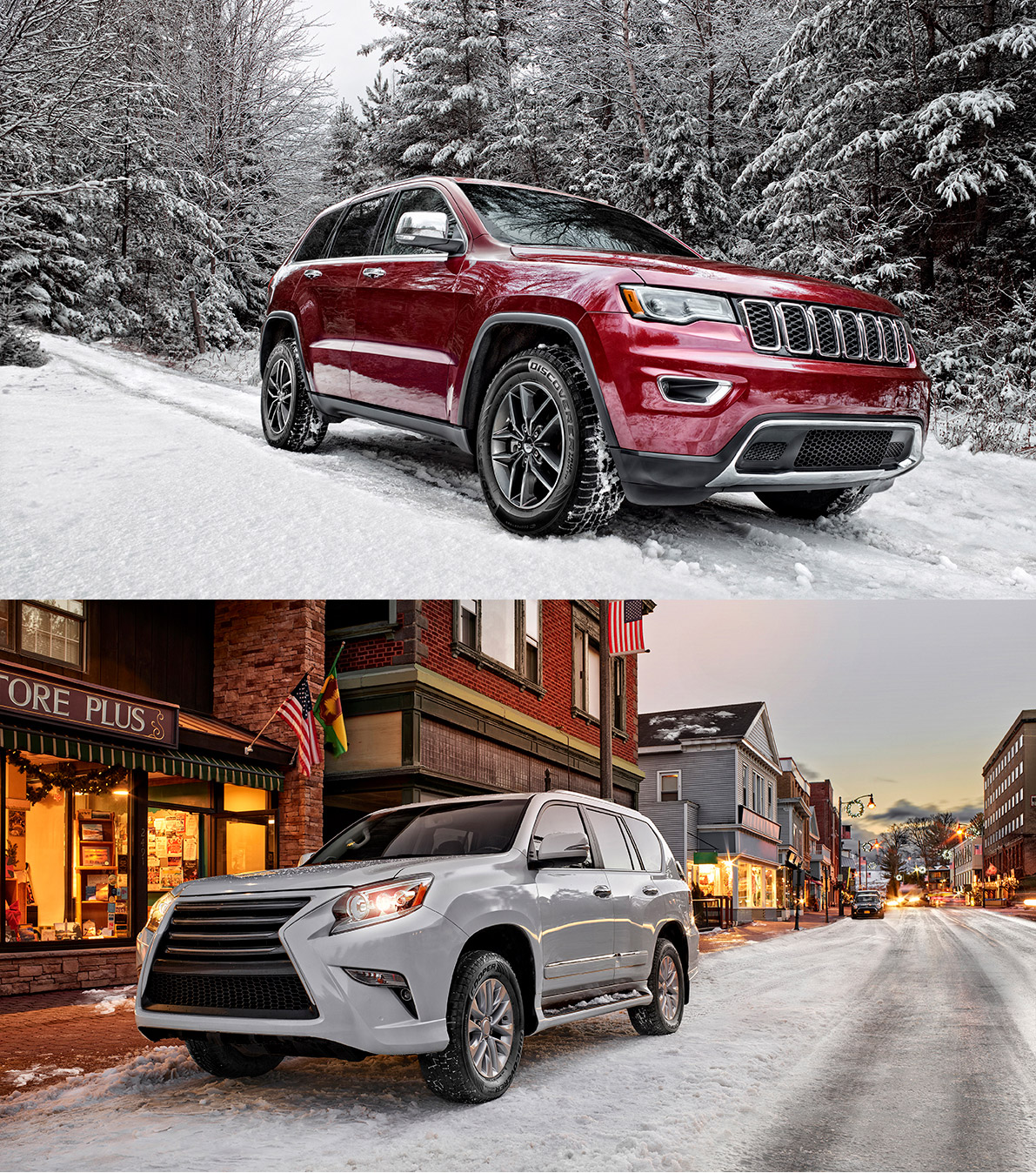
Is there a more exhilarating way to start a week-long job, than to leave the city on a road trip that takes you to a breathtaking landscape of frozen waterfalls and the sun setting behind snow-covered mountains?

Like a Mission Impossible movie, everyone was arriving from somewhere else. Our photo crew came from NYC, the photographer from Munich, the car crew from Florida and an amazing precision driver from Atlanta. All the cars were transported from Florida and were each selected for their look and ability to display the tires in action in the icy winter surroundings. We had five long action-packed days and weather that for the most part cooperated nicely for those unique moments required to capture the pictures. We got it all wrapped on time and we have the pictures to show for it. 

The Future According to Epson

We recently worked on an interesting project for EPSON shot by LA photographer Glen Wexler. The idea was to show how the world would look like in the near future with the help of technology from EPSON.

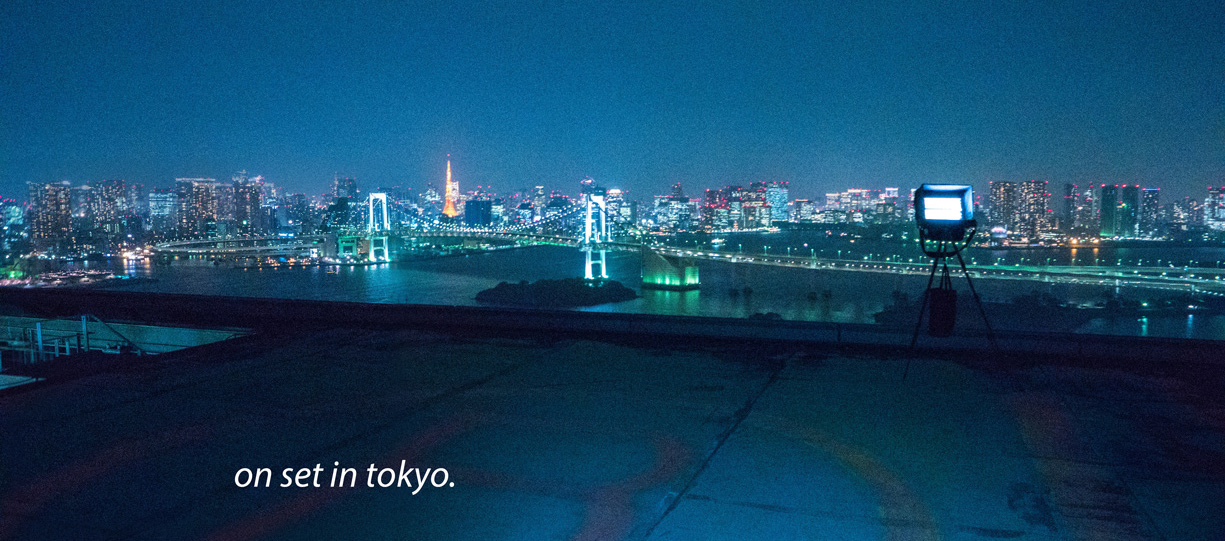
The project started out in NYC and continued for two weeks in Tokyo. The job was brought to life by an excellent team of video and still professionals consisting of creatives and assistants from the US as well as our local kick-ass team in Tokyo. Working with a local crew and on multiply locations in a foreign country is no news. Things went smooth, but with a daily doses of funny bone moments. Captureforce has years of experience working in foreign locations including Asia and east Asia, Russia, South Africa, Europe, and in most of the states within the US. Large projects like these can be resource draining and there’re always an element of surprise, but you’re also met with new people who will help make things happen and it’s rewarding to look at the finished outcome and know you’ve been a part of it.

On the tech side, we were shooting with the Hasselblad H cameras and a Phase One IQ 80Mpix digital back to create the unique files needed for the final composites. We were shooting after sunset when the energy of the city visualizes against the night sky. The final images were created by shooting around thirty 80Mpix files in a multi row cubic panorama formation, keeping the camera at its own nodal point, to create one large file. This process and the amazing retouching / CGI animation done by Glen Wexler’s own in-house post production department made the project incredibly special and we’re looking forward to share more EPSON moments with you in the future.

Best wishes,

Esben // Captureforce


Director: Glen Wexler

Client: EPSON America

Campaign name: Where there’s business there’s EPSON

[The theme of the campaign is to show a glimpse of how the world could look like in the near future with technology from EPSON computers, printers, projectors, robotics and industrial equipment. The 30 second commercial use imagery from the NYC downtown skyline and incorporate green screen footage together with CGI content and animation.]

Megapixels

There has always been a gap between DSLR and Medium format digital cameras, but that gap has now been narrowed, first by the Canon 5DS R and since the Nikon D850. We have been using both cameras side by side with high-end medium format digital cameras. The autofocus hit-rate is considerably better and the cameras are overall snappier. You get a lot of camera for your money, but keep in mind that shooting with the Canon 5Ds R or D850 requires that you step up your technique. In other words, the subject blur and camera shake that sometimes would be unnoticeable when using a lower Mpix camera will reveal itself immediately when using a 50+ Mpix camera. We now only recommend MFD to our clients when they need the outmost in image resolution and file integrity.
Another issue we recently noticed occurred during a shoot that included 2 rented cameras from a local rental house. Both cameras back-focused about 3” leaving the model’s eyes consistently out of focus. Technical issues always involve a bit of playing catch-up especially when you’re on set. They’re difficult to correct on the fly, and before you realize the problem and deem it serious enough to use time on, you could be an hour or so into your shoot. That’s why we always recommend renting cameras and lenses from us. We simply know our cameras and have already ironed out all the kinks.

How to buy a lens and avoid getting a lame duck!

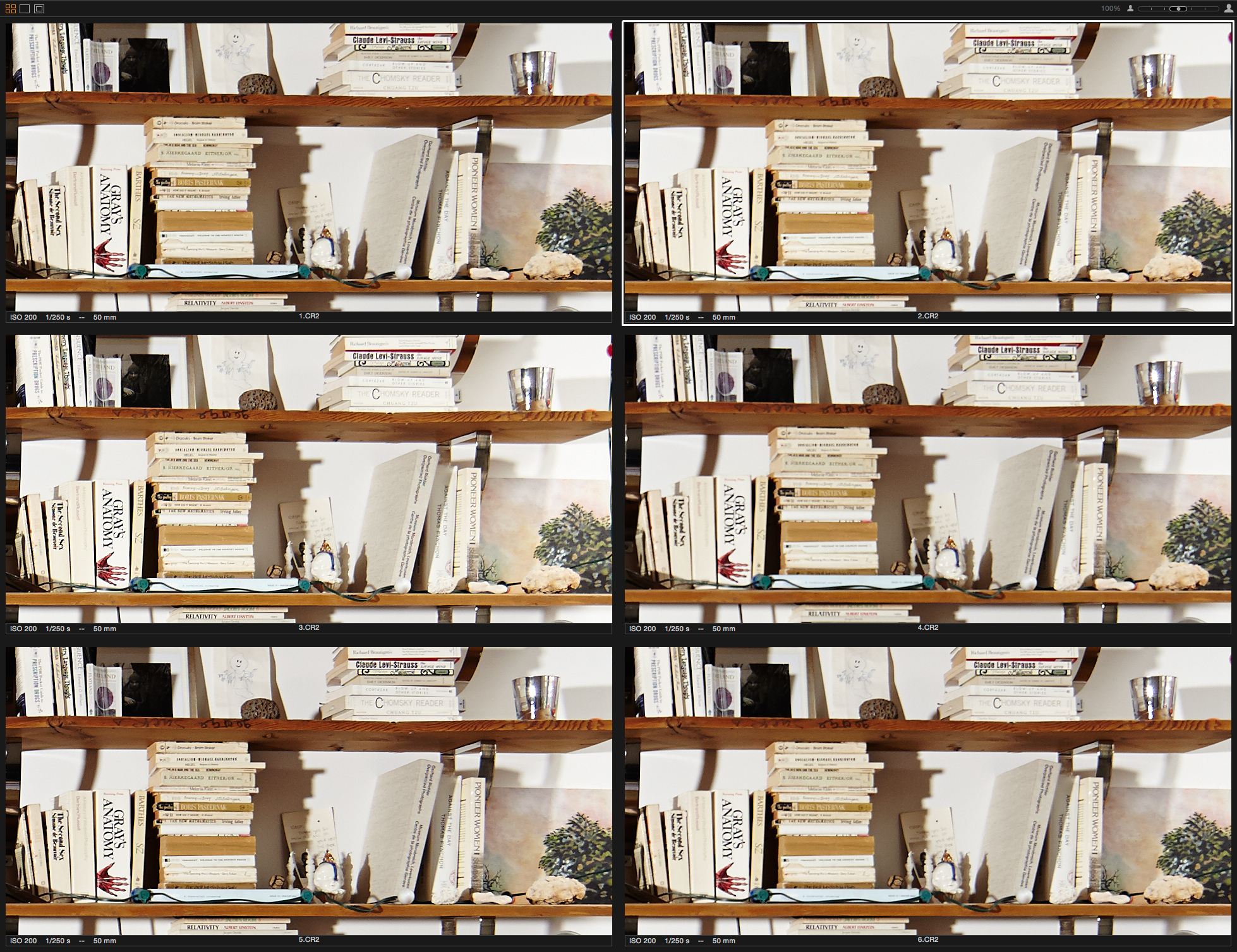
We know better. We have been hand picking our lenses for years. That’s how we ensure our lenses are meeting your expectations. Our practice has been to buy as many as possible of each lens and then to compare their performance. At times, the results are surprisingly equal, but at times, some lenses are far apart in regards to image quality. Our suggestion is to test the lens you’re buying… it’s the only way to get the best performing lens for your camera.

The above picture shows 6 lenses compared agains each other at 100%.

Have questions?

Please feel free to call.

Flash sync!

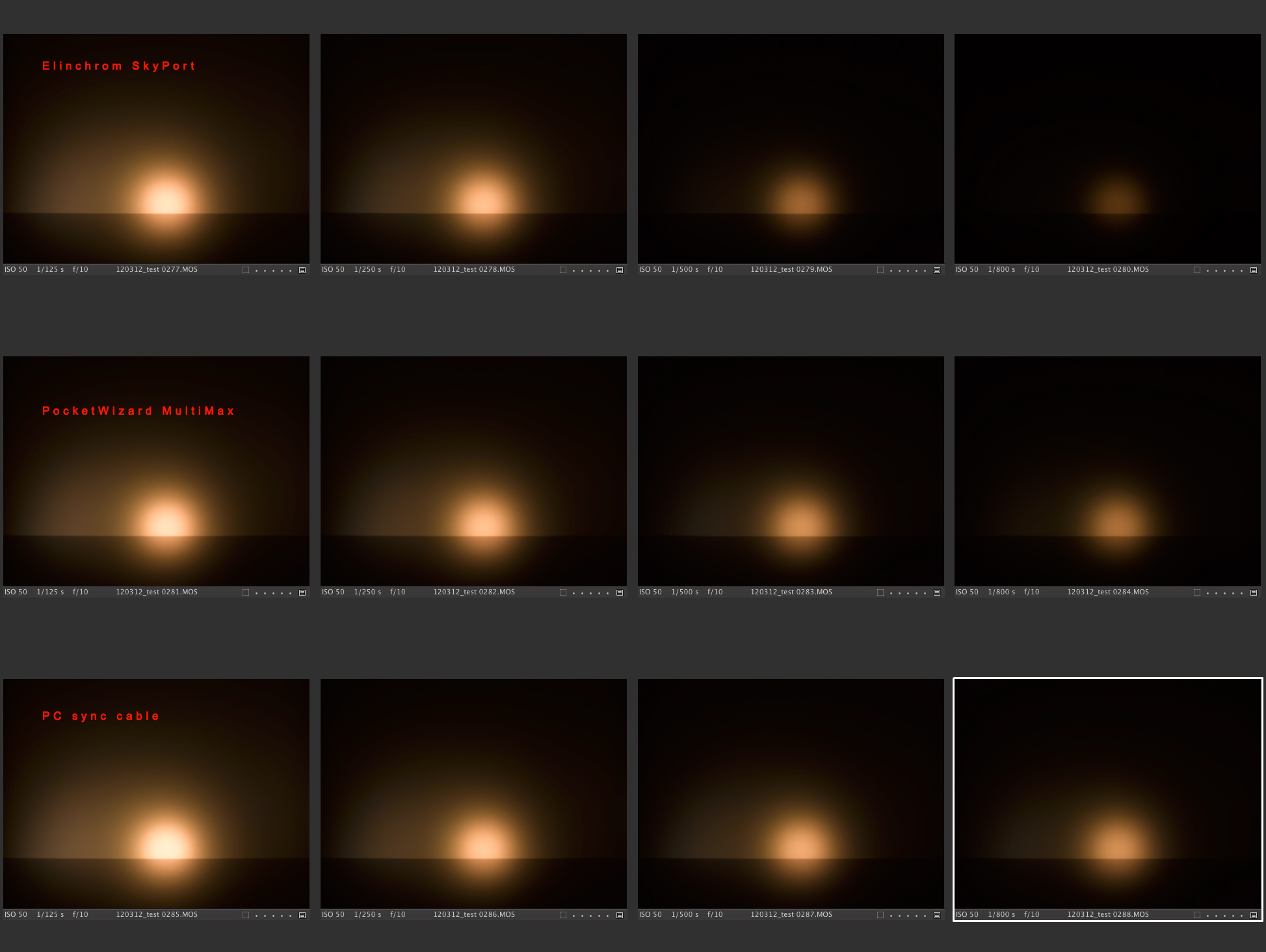
Do you know the accuracy of your PocketWizards or how much power you loose when you shoot at a high shutter speed compared to an old school pc sync cable? We tested each and compared them all.

The images above illustrate the power coming from a ProFoto flash head shot at the same power setting, but at different shutter speeds. Ideally we would like to see the same output throughout the test, but what we can conclude is that the shutter speed does influence our flash output. When looking at the images to the right, you’ll notice the decrease in brightness when working with the PocketWizards and even more so with the Elinchrom SkyPort.

Images above are exposed respectively @ 1/125 sec, 1/250 sec, 1/500 sec, 1/800 sec.

News from the set cart: The Harman Job

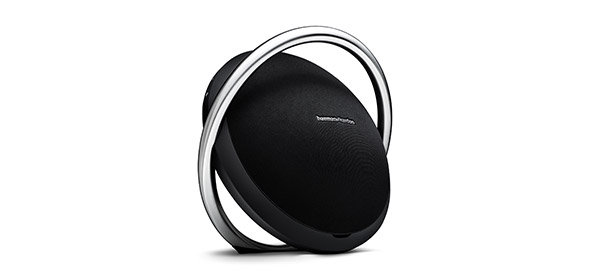
The Harman job might sound like a 70ties gangster movie about the perfect heist. It is not!  But, it started with a phone call from a client. The question was how to best approach the creative layout that the client had presented?

I met up with the photographer and we had a chance to look through the high-res CGI prints delivered from the ad agency. The idea was clean and simple; they wanted 25 razor-sharp images, all extreme close-ups of products that could be blown up to 6×20 feet and viewed from arms length. I’ve worked on other jobs with focus stacking and knew that focus stacking could solve the problem with very narrow depth of field. To make the perfect image, we needed a high resolving camera with which to shoot between 100-150 plates for each image. Each plate would later be rendered into one perfect, tack sharp image. Getting this close to an object, with the intention of blowing the image up to 6 x 20’ (feet) large prints for in-store use demands the most heightened attention to quality in every aspect. The sharpest lenses were called for, as well as a Phase One 80 Mpix digital back, perfect lightning, and a seamless team of professionals that know exactly what the client is asking for and how to deliver. Captureforce delivered the digital equipment while at the same time handling all the post-production including the retouching and focus stacking.The result is visible in the new Harman Kardon flagship store located on Madison Avenue at 54th Street.


Splendid photographs / Perfect technique.


Links to examples of retouching performed by Captureforce CFX.

CFX Beauty / Fashion,  PDF 11MB  [click here]

CFX Harman Kardon,  PDF 5MB  [click here]

CFX Harman Kardon,  PDF 3MB  [click here]

CFX Radeberger,  PDF 4MB  [click here]


The world of 4K raw Video

Shooting raw video with cameras, such as the Red Epic or the Canon 5D mark III with the Magic Lantern firmware upgrade, or 4K with the Sony A7s II, offers some appealing advantages. For example you have the ability to color-grade the video footage the same way as when shooting raw with your still camera.
In addition to shooting your job in raw, you now have the ability to shoot in 4K or higher with new cameras such as the Sony A7s II. Capturing 4K is most likely not the resolution at which you’d like to deliver your next job, but it gives you the ability of texturing, shading, lighting, and stabilizing your footage, and it allows you to crop into the frame without losing visible resolution. When done editing, you can down-res your project to HD format, for final delivery. This workflow offers much better results. Cleaner look and a sharper image = professional product.
We have the equipment and the know-how required for your next job: cameras, lenses, new Mac Pro workstations, dailies, post color-grading for broadcast or web.

 Comparison between footage shot in Canon’s H.263 stock mode vs. Magic Lantern’s raw video mode: youTube
 Example of what the Canon 5D mark III is capable of with the ML firmware upgrade: Vimeo
 One more example of the Canon 5D mark III and Magic Lantern: Vimeo